
Fitibook
How it works

From choosing a studio to a confirmed booking

Book through the Fitibook website or customer app. Browse schedules without an account, then use one account across independent clubs and studios. Guide updated on 12 October 2026.

Step 01

Find a club or studio

Search for a place, activity or location and open the club’s profile. Check its address, services, facilities and news. In the app, optional location permission lets you see distances to places; it is not required to browse services.

  • Profiles and schedules are available without signing in.
  • The named club or studio organises the classes.
  • Services, passes and settlement methods can differ between places.
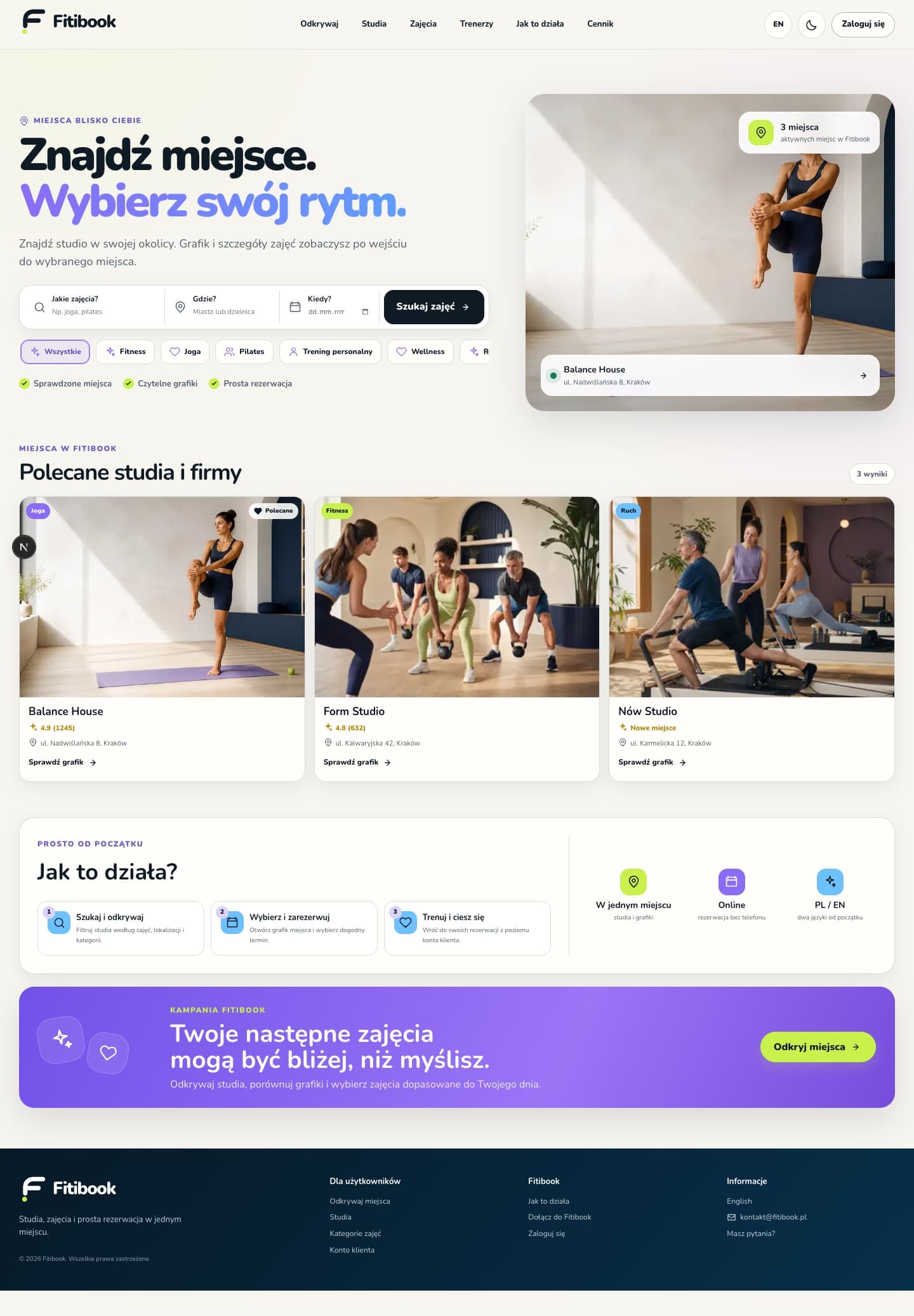
Fitibook home page with search and studio cards
01Place search and recommended studios
Step 02

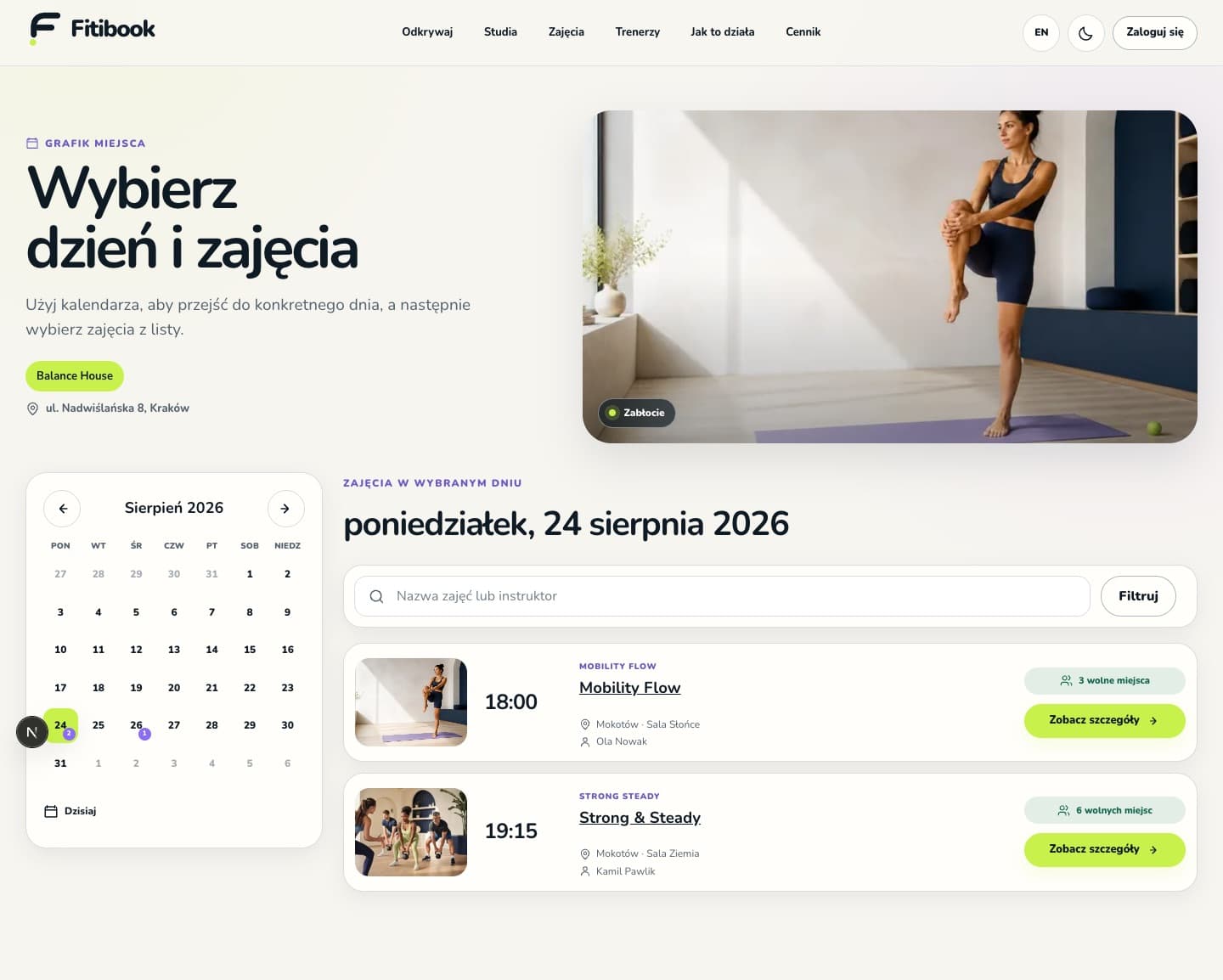
Choose a date and class

Open the schedule, select a day and choose a class. Check the time, location, instructor, description, availability and participation requirements. Book available facilities or other services according to the Business’s offer.

  • Make sure you selected the correct date and location.
  • A club may offer a waitlist when a class is full.
  • Joining a waitlist does not yet confirm a place.
Balance House schedule with a calendar and available classes
02Studio calendar and classes for the selected day
Step 03

Sign in or create an account

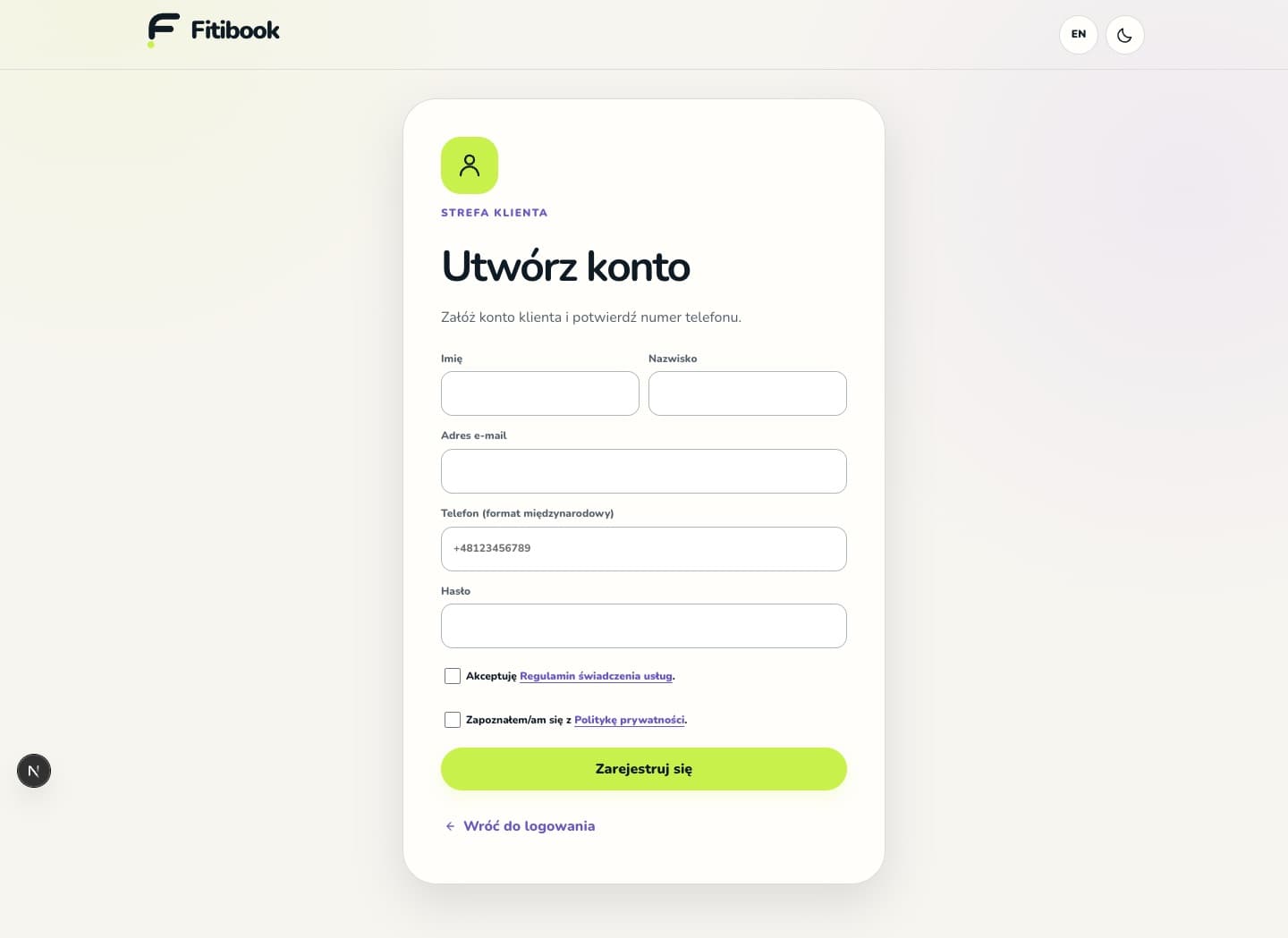
A customer account is required to book. Enter the required registration details, an email address you can access and a secure password. Accept the Terms and read the Privacy Policy. Verify your phone number with the six-digit SMS code from Fitibook. The code activates a new customer account in the app or on the website and is valid for 15 minutes. Earlier registrations may still require an email code.

  • If no SMS arrives, check the phone number and request another code after one minute. For an earlier email registration, check the spam folder too.
  • If you already have a Fitibook account, recover your password instead of creating another account.
  • Your profile photo and date of birth are optional. Creating an account does not automatically subscribe you to a newsletter.
Fitibook customer account registration form
03Secure first-time registration form
Step 04

Check the conditions and confirm

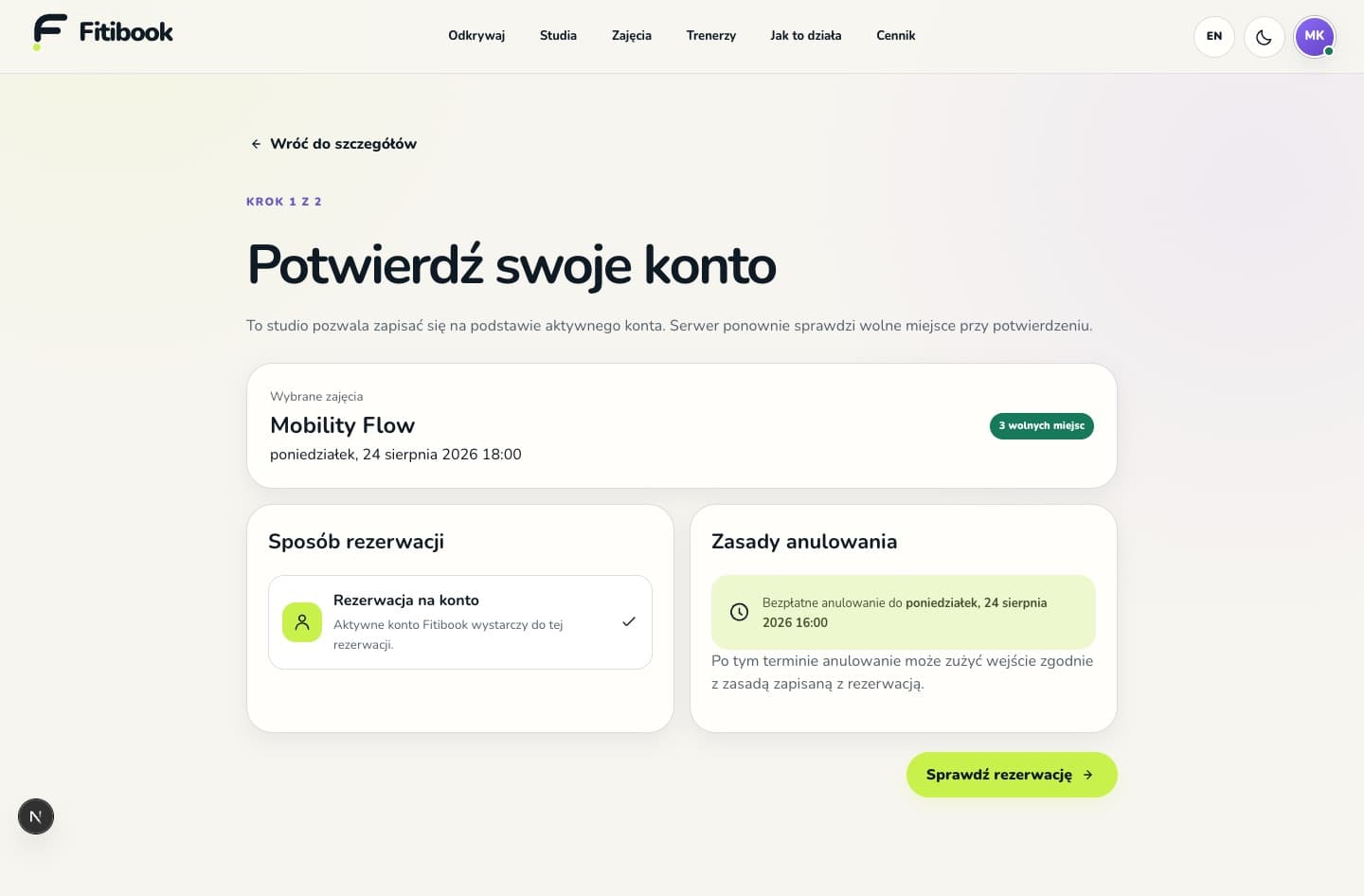
Before confirmation, check the price or required pass, settlement method and cancellation rules. Depending on the offer, a club may allow an account-based booking, pass, balance, sports card, on-site payment or PayU online payment. Choose from the methods actually available for that service.

  • Check the free-cancellation deadline and consequences of cancelling late.
  • With PayU, complete payment and check its result in your account. Returning from the payment page alone does not confirm payment.
  • A place is confirmed only when the booking has the appropriate status. Check the previous attempt before making another payment.
Booking method and cancellation rules review screen
04Conditions shown before final confirmation
Step 05

Manage your booking and account

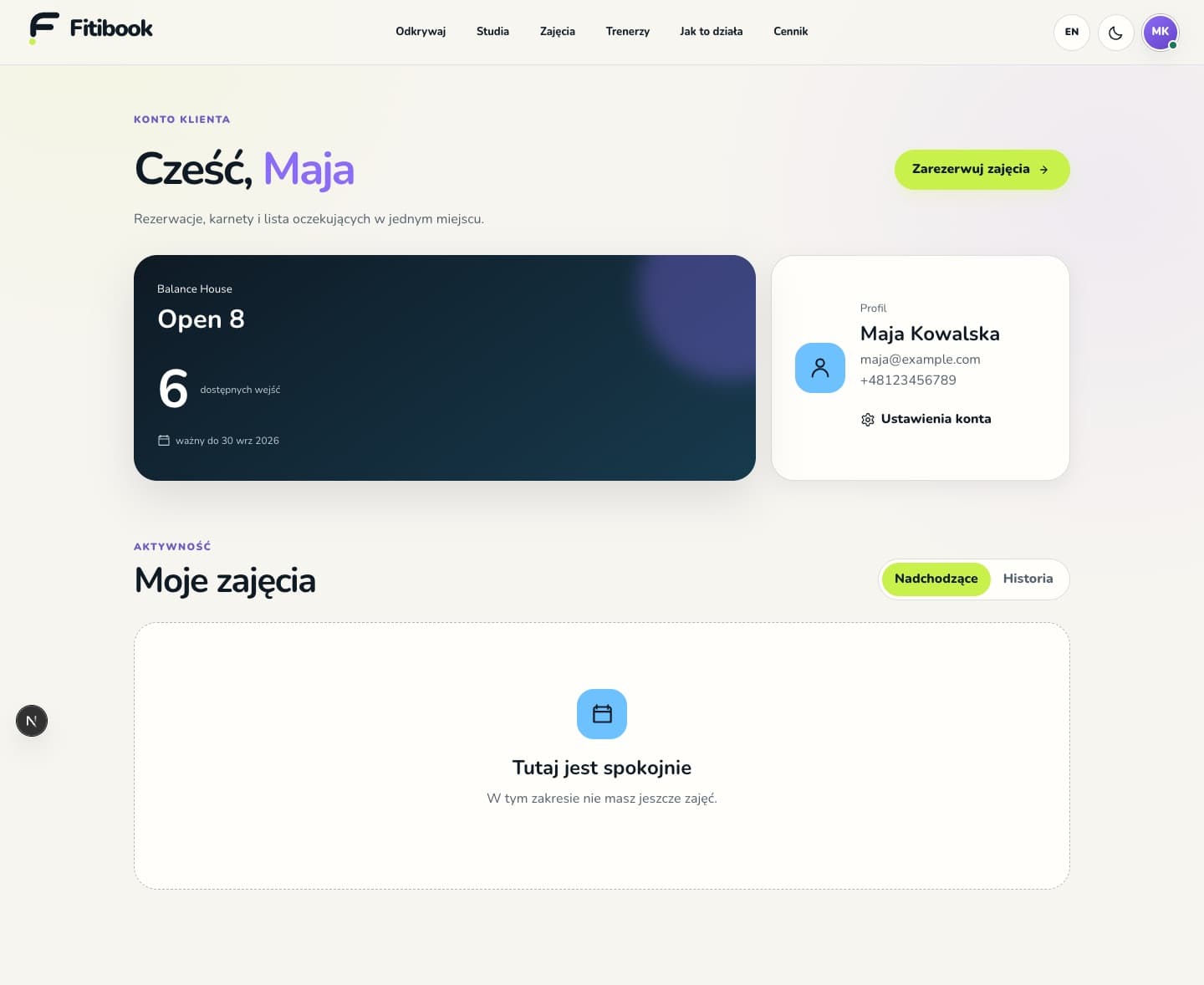
Your account shows upcoming bookings, history, waitlists, passes and profile details. Open a booking to see its details, QR code or available cancellation option. The app also offers notifications and adding a selected class to your calendar.

  • Passes and balances remain linked to the club that manages them.
  • Cancellation is settled under the booking conditions; an online refund may take time or require contact with the club.
  • Contact the club about classes and settlements. Fitibook technical support: hello@fitibook.pl and fitibook.pl/en/informacje/pomoc.
  • Account settings let you edit your profile and start account deletion. Uninstalling the app does not delete the server account.
Customer account with a pass and My classes section
05Bookings, passes and profile in the customer account
FAQ

Good to know

The most important answers before your first Fitibook booking.

Do I need an account to see a schedule?

No. Studios, profiles, schedules and class details are public. An account is required only to confirm a booking.

Does one account work with multiple studios?

Yes. Fitibook uses one global customer account. Bookings appear together, while passes and credit balances stay with the studio that issued them.

What happens when a class is full?

If the studio enables a waitlist, you can join it. A waitlist entry does not guarantee a seat; confirmation appears after a successful promotion.

Do I need a pass?

It depends on the studio policy. Some require only an active account, while others require an eligible pass. The requirement is shown before confirmation.

Where can I cancel a booking?

From the customer account next to the relevant class. Always check the free-cancellation deadline and studio rules saved with the booking.

Fitibook

Ready for your first booking?

Browse places without signing in. Create an account only after you choose a class.

Discover studios